
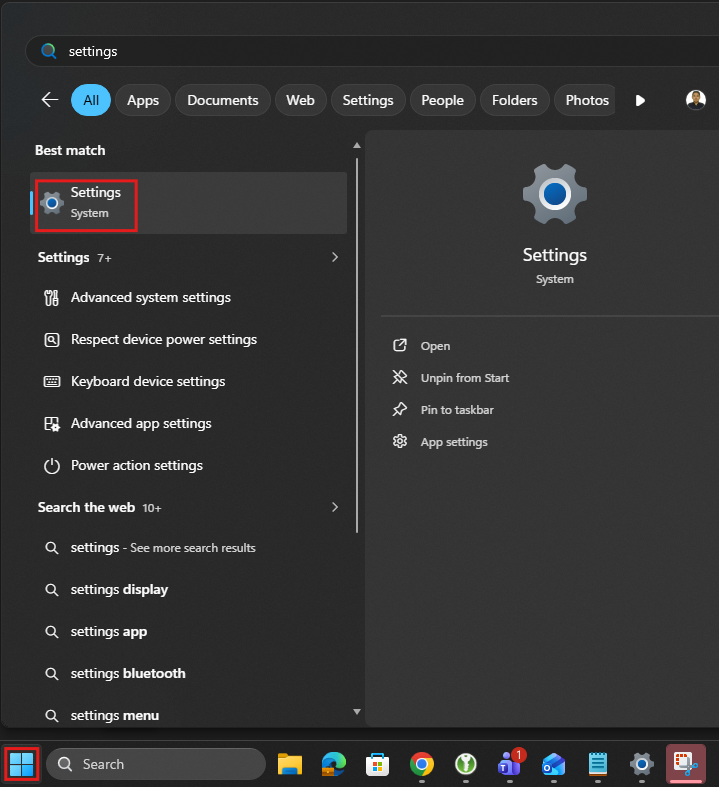
1.) Go to Windows > Settings > Accounts > Sign-in options.

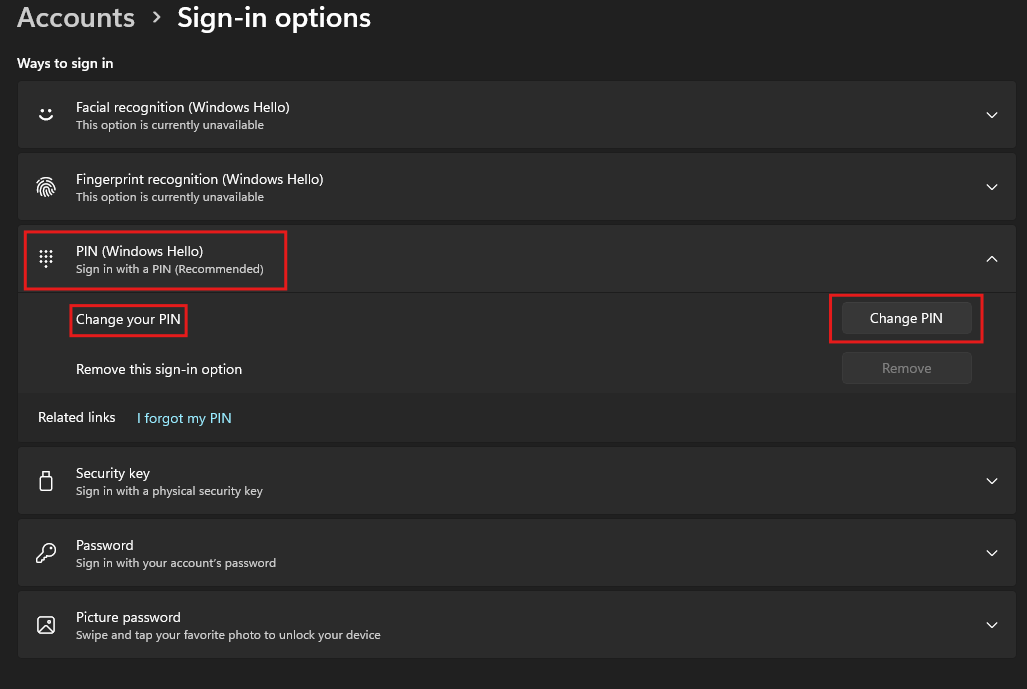
2.) Under PIN (Windows Hello), select Change PIN.
4.) Provide your old PIN and new PIN.
This should help you reset your Windows PIN.
1.) Go to Windows > Settings > Accounts > Sign-in options.
2.) Under PIN (Windows Hello), select Change PIN.
4.) Provide your old PIN and new PIN.

